Ubuntu on the Raspberry Pi 4 Redux

img_20200502_131228

Last week I went to format a new 128 GB SD card using my USB card reader on my Raspberry Pi running Ubuntu.  Turns out I (at some point) reformatted my main Linux drive, which happened to be on an identical SD card.  I didn’t even realize what I had done until I went to reboot several days later.

I had decided to run off of a USB HDD drive, but this was more complicated than I expected.  I figured I could just re-install Linux on the SD card and make the few mods to the boot root and all would be fine.  Well, after many hours, I still couldn’t get back to where I was.  So today I decided to do a clean install.  I was originally using an old 32 GB SD card which seemed small but with my new 128 GB maybe it is best to run everything from the SD card and just mount the USB HDD for media (which is where all the disk space is used anyway).  Then I could even do backups on the USB drive and not have to worry about all the complications of having two OS copies, one on the SD card and one on the HDD.

First step was to download Raspberry Pi 4 Ubuntu install disk.  Good news is that 20.04 is now available, while I was on 18.04.  An sudo apt-get update and sudo apt-get upgrade got me a clean copy.  Then a sudo apt-get install ubuntu-desktop got me the UI.  Couldn’t be easier.  Now all I have to do is set up my use account, move the files over and mount the USB HDD.  And install things like Chrome and Plex.  Oh, and set the timezone and hostname.  Etc.  Going to take a break first.

One lesson:  I almost decommed my old x86 Shuttle PC.  Turns out you need a second system when things go bad. I suppose if I had a good bootable SD flash card I would have a fighting chance, but it sure was easier having another machine to work from.

Oh, checked the WiFi.  Still broken.


Raspberry Pi 4 WiFi Fail

When I went to switch my Ubuntu Raspberry Pi 4 from wired ethernet to WiFi, it didn’t work.  I was able to see the networks on my router and sometimes even to connect to them, but it wasn’t stable.  I bought a second Pi 4 thinking it might be a hardware problem with this unit, but it was exactly the same.  I read about some problems with interference from HDMI but I tried three different monitors and didn’t see any change, but I suppose that could still be the ultimate problem.

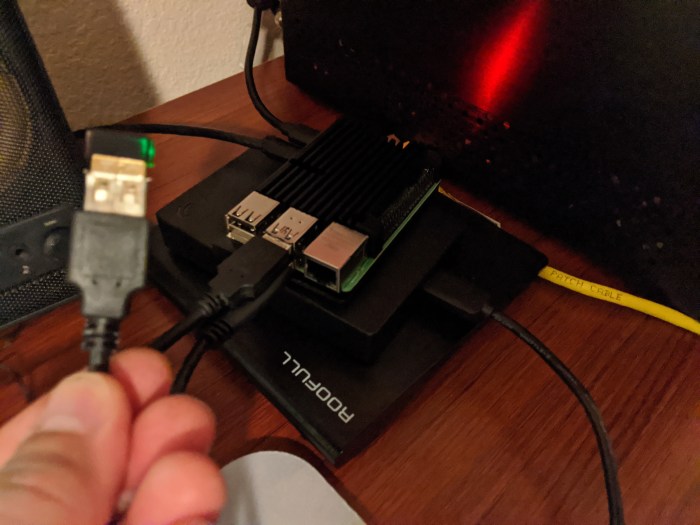
I originally thought it was a power problem, with my USB HDD perhaps drawing too much power and destabilizing other parts of the system.  I put the HDD on my powered USB switch but that didn’t help.  I eventually bought a USB WiFi dongle (TP-Link PC N150) which was better but still not acceptable.

I wondered if the power problem might be with the USB WiFi dongle so I moved it to the USB switch and suddenly things seemed better. Then later it got worse.  I eventually realized it depended on where I moved the USB WiFi.  Closer to the Pi 4 was bad (0.2 MBits/sec) while further away was as much as 20 Mbits/sec.

I wondered it if the power really had anything to do with it.  I got a USB extension cord and put the USB WiFi dongle on the end.  I can move it closer and watch the WiFi degrade and move it away and watch it improve.

One last bit.  I have a wireless keyboard and mouse with a similar USB dongle.  Thought it might be interfering with both the on board and the USB WiFi, but I went back to a wired keyboard and mouse and there was no change.  I do wonder if the on board WiFi might be causing problems with the USB WiFi.  It does seem like Ubuntu won’t let you selectively turn off WiFi.  It only does “Airplane Mode” which turns both off.

Either way, there is some serious flakiness with the Pi 4 WiFi.  For now I’ll just use my USB extension cord and USB WiFi Dongle.

img_20200403_200309

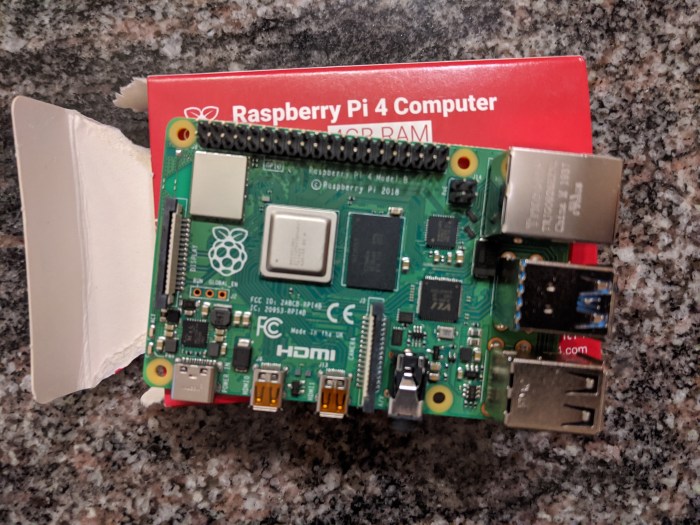
Raspberry Pi 4 Kit

So I got through the initial challenges with the Raspberry Pi 4.  First all I did was the cookbook stuff, put bootable Ubuntu onto an SD card and power it up.  My network was a wired ethernet and the monitor was a Vizio TV.  So everything went (mostly) according to plan.  But my simple setup quickly turned into something more complicated.  I’m still hashing it out but here is what I’ve gotten so far.  I can report that I am posting this from my Ubuntu Raspberry Pi desktop!

img_20200402_161546

Mouse and keyboard:  didn’t have a spare dedicated wired keyboard since I just cleaned up my office and gave away a couple of old ones, figuring I wouldn’t need them any more.  Had a wireless pair that I liked and was using on my old PC but was told I needed a wired USB keyboard and mouse for the first boot, so I bought this Amazon mouse and keyboard bundle.  Turns out it probably wasn’t necessary, but hey, I probably should have kept a spare USB keyboard around anyway.  Looks like the wireless keyboard set would have worked.

Flash Card:  had an older 32 GB flash card from an old phone and figured I could use that. It worked ok, but eventually flaked out on me.  Couldn’t make a partition writable.  After much pain and suffering found out it was a known flaw in some older SD cards.  Bought a newer, biggger, faster 128 GB Sandisk.  Found out I didn’t have a good way to easily write an SD card.  One old reader I had didn’t work and the slot in my wife’s Intel NUC didn’t seem to work either.  Bought one of one of these Anker USB Card Readers.  Money well spent.

Hard Drive:  since I wanted to use this as both a desktop machine and a media server, I figured I needed a large HDD.  Got a Seagate 4 TB USB drive.  Would have preferred an SSD and maybe it would have been worth it (more on that later) but this seemed to be the solution.  The plan is to boot from the HDD.  Not that hard to do.  Ok, maybe harder than I though.  This article (and comments) got me going:  How to Run Raspberry Pi 4 or 3 Off an SSD or Flash Drive

So I had my files on another USB HDD. Figured I could plug it into the other USB slot and do a big copy.  Uh Oh.  That didn’t work.  Seems the two drives draw too much power (more on that later).  Bought this powered USB hub to plug it all in without causing my processor to die from starvation.

Bluetooth:  had some issues with the sound output.  After much googling, got a poor quality output from the audio jack.  Some other config settings cleaned it up.  I had a Bluetooth Speaker.  Maybe that would be the way to go.  Never got it to work.  As best I can tell a bluetooth module called pi-bluetooth or possibly bluetooth-pi is currently missing.  I gave up, figuring one day someone would fix it and it would all start to magically work.

Wifi:  after initial install I went to move my Pi 4 to a place without a convenient ethernet connection.  No matter, the built in WiFi would be good enough.  Except it didn’t work.  Never could get it to work.  Bought a second Pi 4 thinking it could be bad hardware.  It wasn’t.  Gave up and bought a TP-Link USB PC N150 WiFi Adapter.  It sorta worked.  Not very reliable.  After much messing around, I went back to my powered USB hub and plugged my HDD and the WiFi dongle in there instead of directly into the Pi 4.  That did the trick!  More on this power issue later.

CD Drive:  If I ever decom my old x86 Shuttle I may need a CD / DVD drive.  Bought a USB CD / DVD Drive, and it worked, but I didn’t do anything too heavy with it,  like ripping videos.  Will try that some other time.

Am I done?  Not really.  Want to get Bluetooth working and see if the onboard WiFi can be fixed.  When SSDs get cheaper I might spring for a 2 TB or so to hold media.  Also been looking at temperature,  More on that later.  Bought this fancy metal heatsink case, more to protect the board than for cooling.  No fan, but I don’t want one of these if it needs a fan.  At this point my simple little PC is a bit complicated.  I’m hoping that over time fixes and maybe some new hardware (an SSD) will simplify things.  Until now, it is working well enough to post this!


Raspberry Pi 4 Update

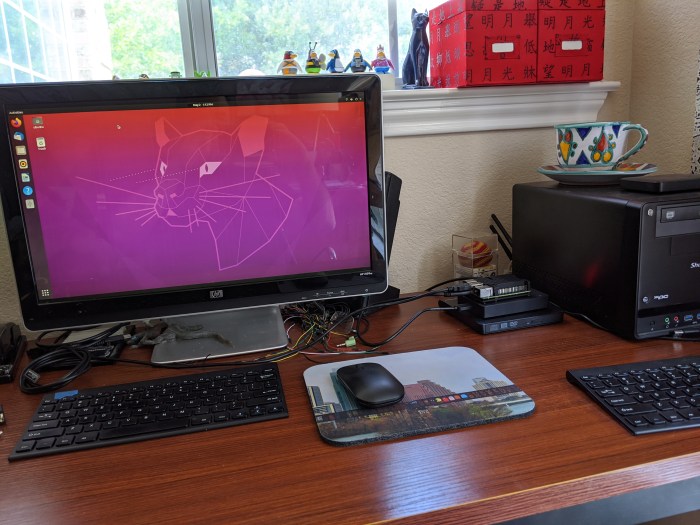
Update on the new Raspberry Pi 4.  Got Ubuntu with UI and wireless mouse and keyboard up with very little effort.  Added a nice heatsink case. Amazing how far this stuff has come.  Next is moving from the little flash card to a USB drive.  Was going to go with SSD but I am looking for a few TB to host media so I went with a (cheaper) old fashioned HDD.  When SSD prices come down I can always migrate.