Victron Venus OS on Raspberry Pi

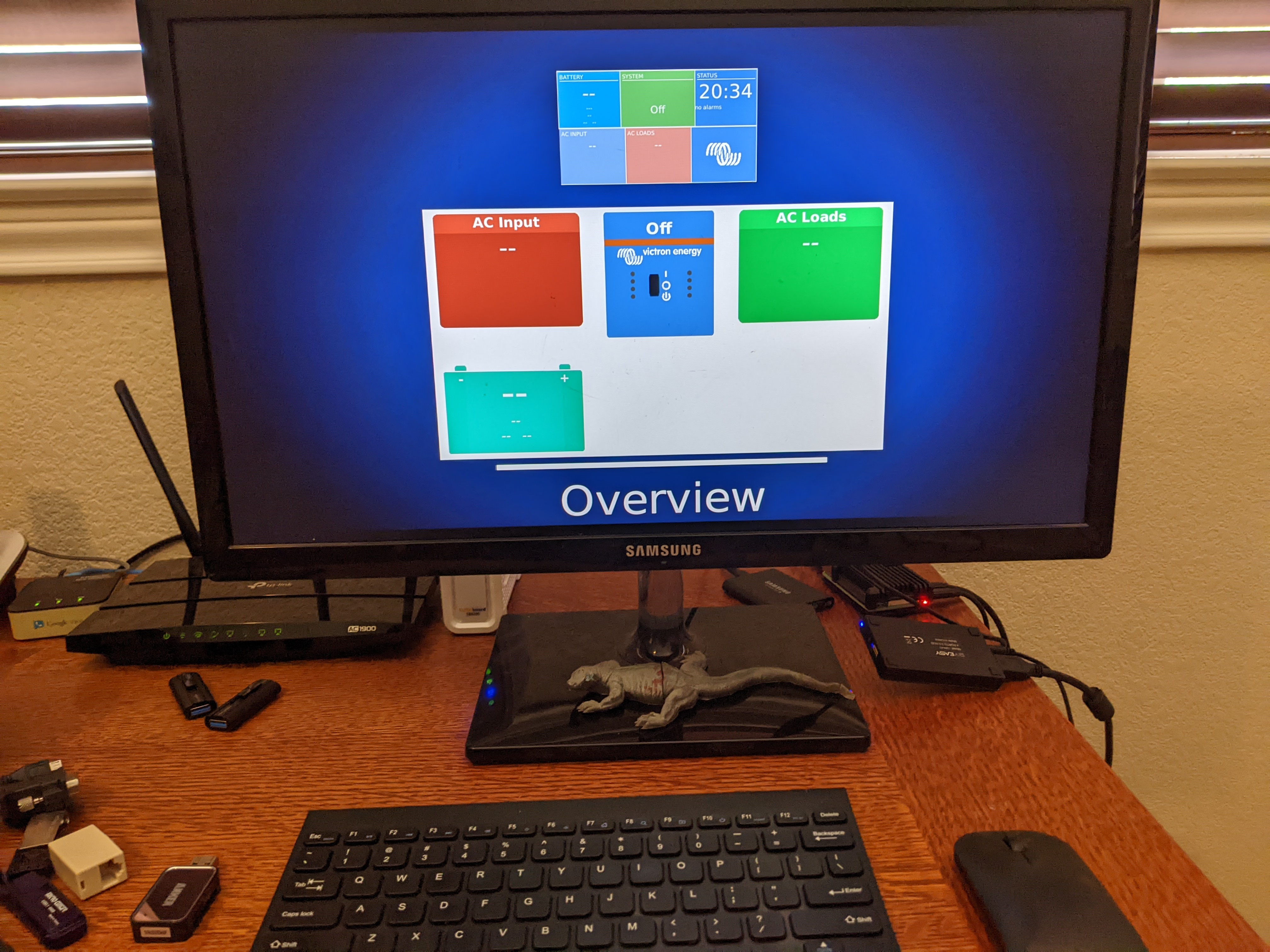
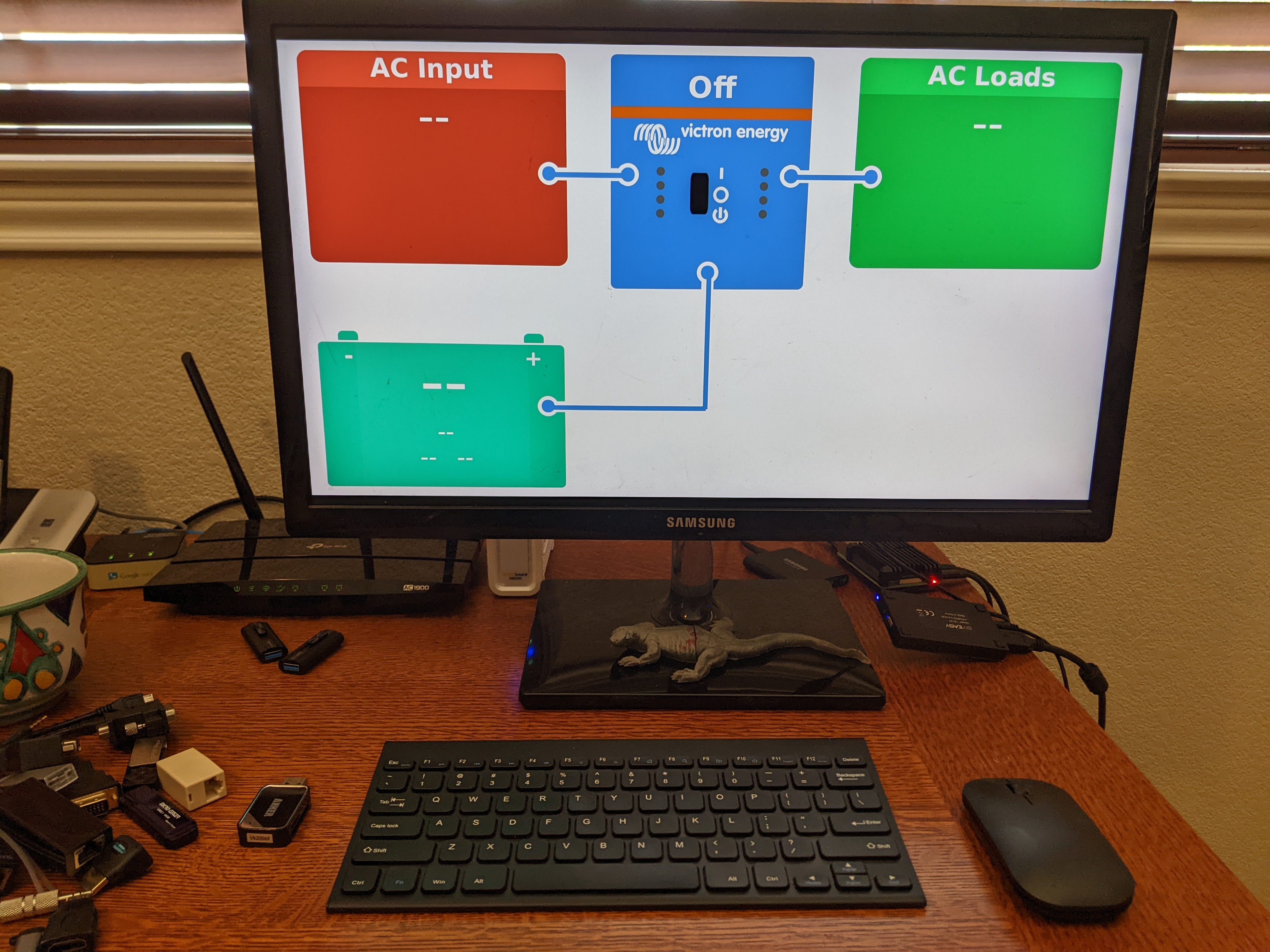
Want to add some logging capabilities to my solar set up. I originally thought I would have to roll my own, or at least do a bit of python coding, but Vectron offers products to do most of the work for you. I downloaded and ran their Venus OS on my Raspberry Pi 4. Right now I used the Pi as an Ubuntu desktop machine, booting from a USB SDD. I flashed a microSD card, powered down, unplugged the USB drive, inserted the microSD card and turned the power back on. Booted the first time. Changed the “headless” file, rebooted and got the graphical user interface. Played around with the menus a bit. Impressive stuff. It will connect to various pieces of equipment and log data to their VRM cloud. Probably going to replace my Raspberry Pi 4 with a new Raspberry Pi 5 and maybe I’ll use my old Pi 4 for the solar installation. Bought the ve.direct cable and will give it a test soon.
Solar Testbed Update

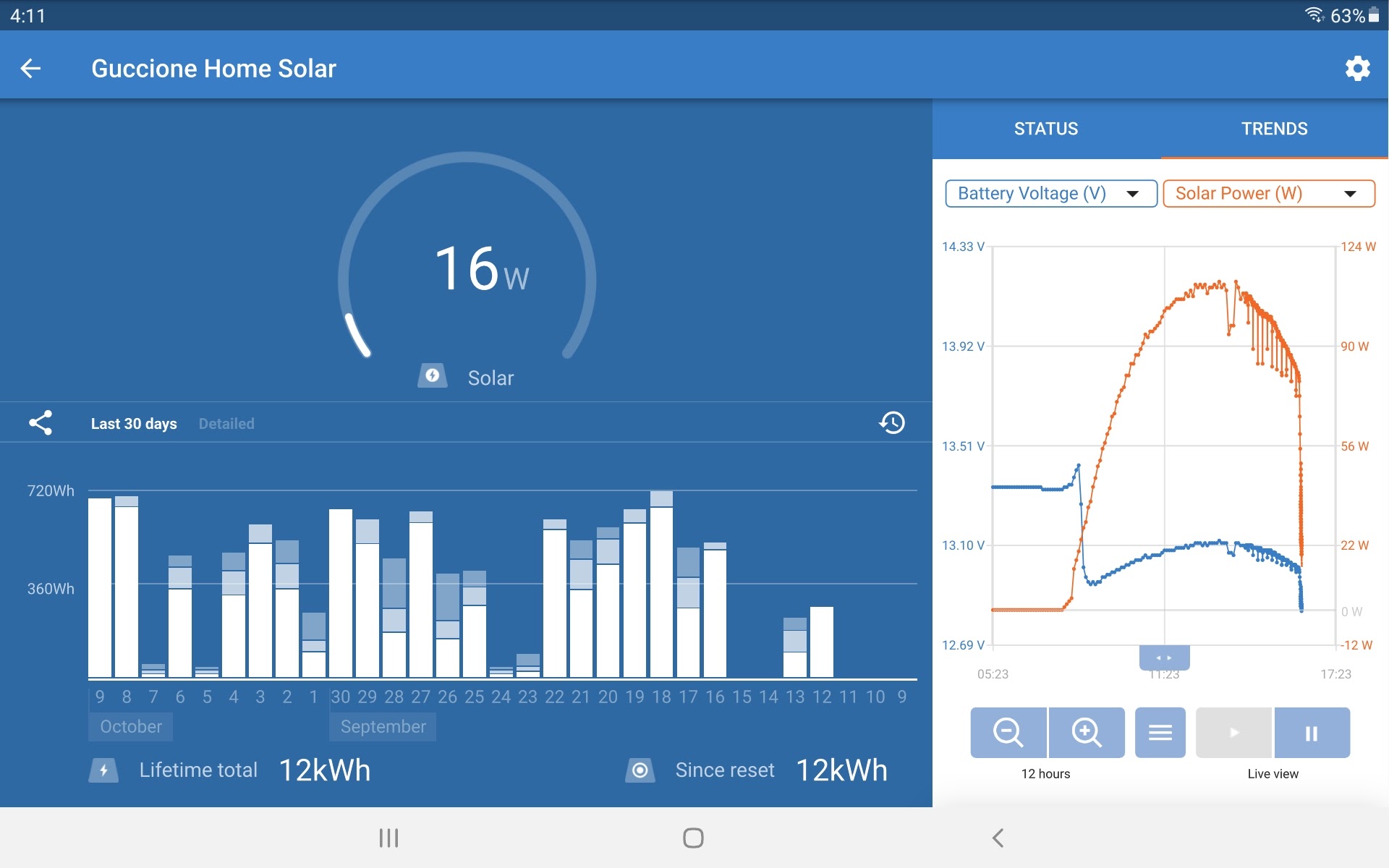
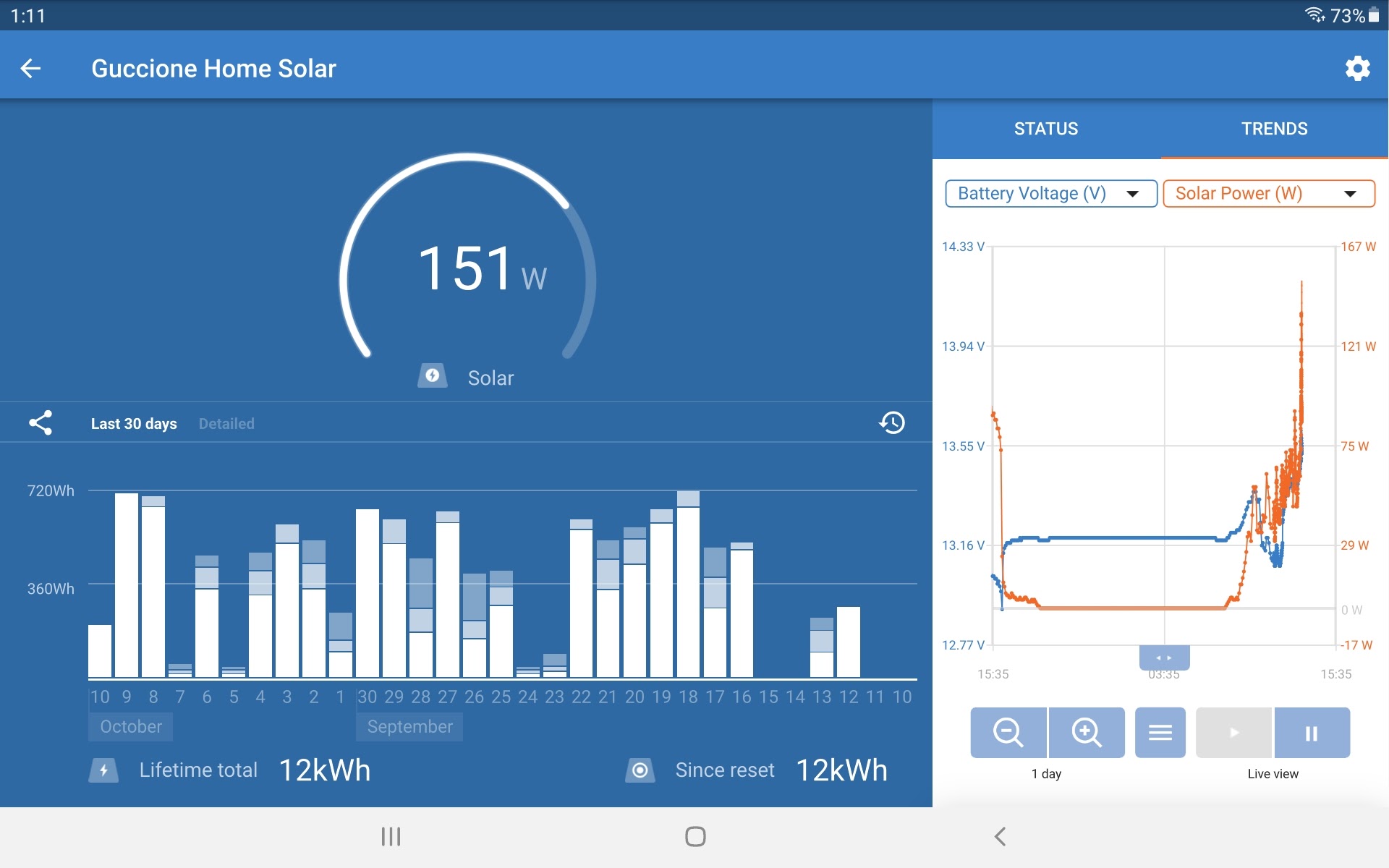
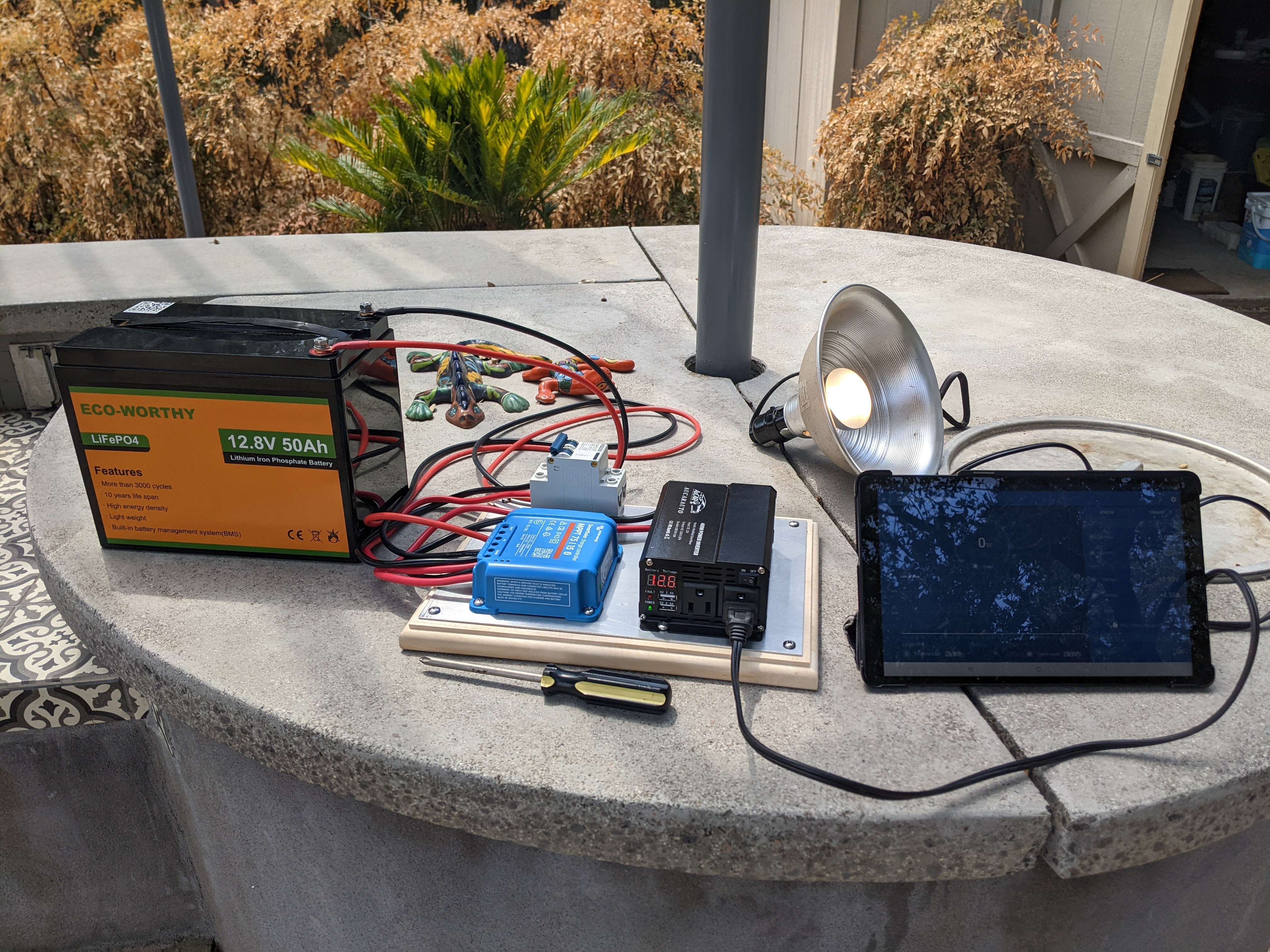
Still using two small incandescent shop lights to play around with the Solar / Battery testbed. Two small data points. The first is the nice curve of power output across the day from the Victron software. The panels aren’t at a good angle and are shaded by the house in the late afternoon, hence the sharp drop off. The second is the high output of over 150W. This is with no load, just charging batteries and not even in bright sun. Also at an angle. I was starting to expect a max of 120W or so even though the panels are rated at a combined 200W. Perhaps in bright direct overhead sun it will get close to 200W.

Solar Testbed

It occurs to me that what I have built is a solar testbed. This is a word we used to use for computer systems not really made to perform work, but to run experiments. But I haven’t really thought about actual experiments. Some thoughts:

  • Full battery cycle: completely drain the battery, perhaps at night, they do a full charge, perhaps in full sun. How long does this take?
  • Output Measurement: not clear what the total panel output is. Are all loads coming from the battery, or is power shunted directly from the panels to the load? In the dashboard it isn’t clear if battery current and load current are distinct, or overlapping. I haven’t seen much more than 100W from my 200W panels, but I have only been using about 100W of load.
  • Maximum Load: so far I have only put about 50W – 100W of load on the system. Panels are only 200W max, but what happens (of anything) if the load is higher than the panel output? (I suppose this happens right now when there is shade. This all relates to how current is applied to the load).
  • Battery Fullness: there isn’t any measure of battery fullness, perhaps as a percent. There is a table that comes with the battery that maps voltage to percent remaining. Perhaps batteries vary too much to include this in the software, but I know I would type in a small table of numbers to see this sort of battery status.
  • Raspberry Pi Interface: my next step is to get a Raspberry Pi and load up the Venus OS interface and see what this buys me. I would like to log all the parameters at say, one minute intervals, perhaps averaged over 5 one second measurements. Then run the system for a week or so under a stable load and look at the graphs and see what stands out.

Early Solar Experiences

Have had the solar setup running for a few days. It happens to be the first cloudy and rainy days in months, but that is a good thing. I get to see how things perform in various conditions. As I said this is really mostly a toy for learning purposes. I can’t say I have a good feel for things just yet but here are some early observations and notes.

  • Victron software: very nice stuff. Has a dashboard that connects via Bluetooth. I’ve accessed it probably a hundred times in the last few days. Gives a good view of the instantaneous state with some timeline graphing of two selected parameters.
  • Power generation: I assumed there would be some measure of potential power being generated, but maybe this isn’t realistic. There is a power consumed, but this depends on the load and the state of the battery, not some theoretical available power.
  • System bottlenecks: all systems have bottlenecks. In this sort of arrangement they seem to be current based. My battery, for instance, can take something like a 40A charge current. But the controller can only deliver 15A. And I’ve seldom seen it past 3A. Since I have two 100W panels, this is maybe 20A peak. I’m starting to think viewing everything in Watts makes the most sense. I’m sure the pros do more serious analysis than I do and probably have better results.
  • Panel output: I didn’t expect to see peak output but it is more elusive than I expected. My inverter is oversized at about 500W but I would have to have a large load, bright sun overhead and probably a low battery on bulk charge to see it. Angle of sun and clouds have a big effect. Bright clouds cuts output more or less in half and heavy clouds half again. Not unexpected.
  • Battery charging: interesting to see how the controller shuttles current from load to battery depending on the panel output. If course that is the whole point of the controller but it has been useful to watch it in various situations (low battery, cloudy skies).
  • Victron Data: the Victron software let’s you download data. But as best I can tell it is only daily averages. I’m thinking I want maybe minute by minute voltage and current of panel, load and battery. Looking at the Raspberry Pi solution. Probably my next step.

Solar Panel Mounting

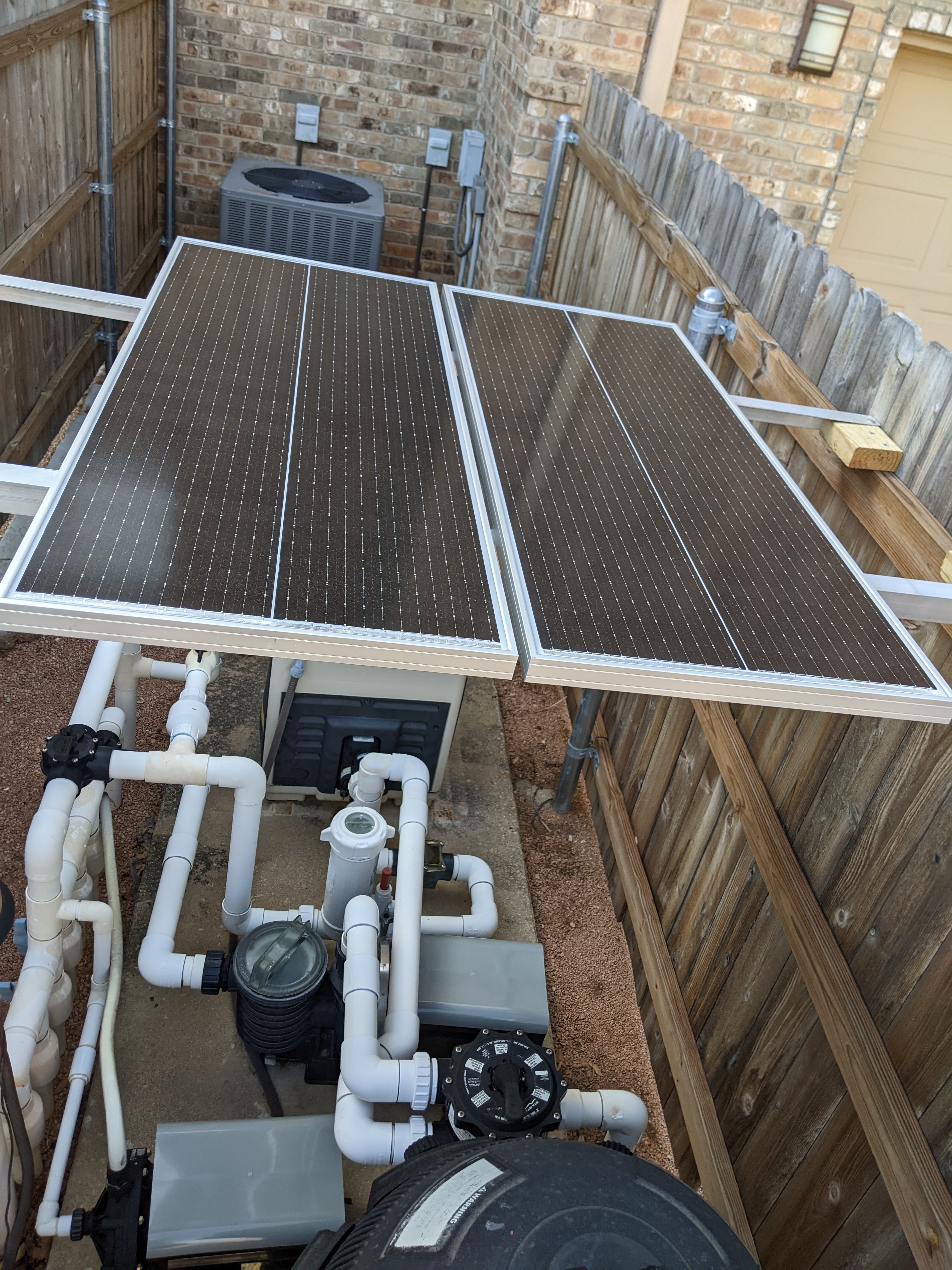
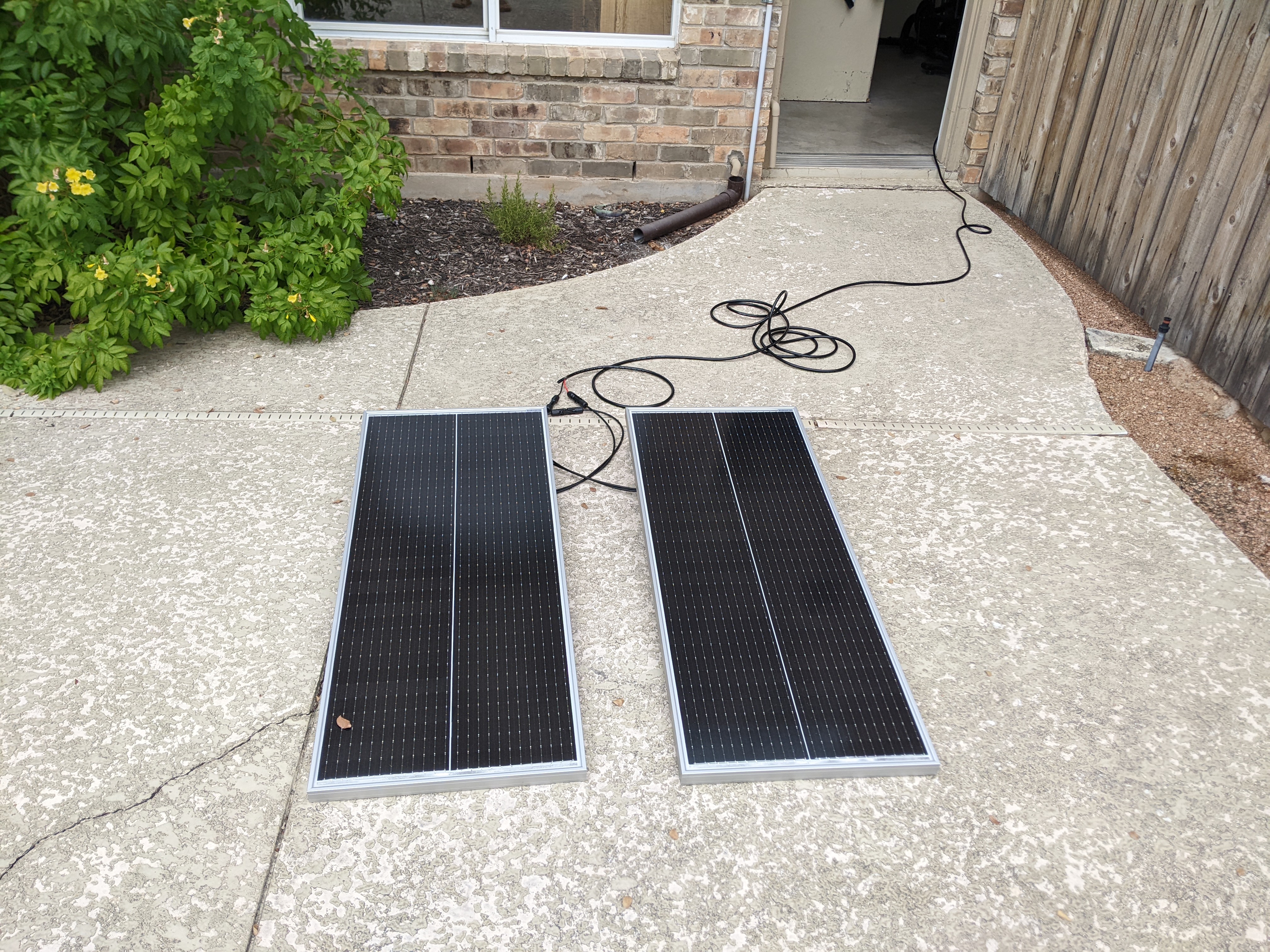
Decided to mount the panels on the east side of the house in a little utility area between two fences that has the air conditioning units and the pool pump. The panels will even shade pool pump a bit. Bought two eight foot long pieces of heavy duty aluminum angle iron. Over $100 at the local big box store. More than I wanted to spend but it seemed to be a nice simple solution and an easy material to work with.

Now I need to figure out how to route the wire from the panels into the nearby garage where the controller and battery are. After than I suppose I need a better load. Thinking about a small drink fridge. Also am impressed with the Victron software. Will probably play around with Raspberry Pi support. Not exactly sure what it does but something to play around with.

Solar Full System Test

Its a cloudy day, maybe the first one in months. That’s ok. Made up my own cable with some bulk 10 AWG two conductor wire and connectors. I thought the connectors wouldn’t require crimping, but they do. And you probably need a proper crimping tool to do it right. After botching my first few tries I decided to solder the connectors. My soldering skills aren’t great but these connectors should do.

Put the panels out on the deck, connected the battery and the panels, flipped the switch for the panels and checked the Victron app. A few amps going in to charge the battery. Plugged in the utility light into the inverter as a load and watched the current go negative. It’s a shady day so not getting much out of the panels. But a few tens of watts. Can’t wait to see how they do in bright sun.

i would say if I had it to do over I would buy cables with connectors. Now to figure out how to mount the panels.

Solar Shakedown

My LiFeP04 battery came in a few days ago. I was waiting for some other parts (mostly wire and a crimping tool and some nice copper lugs) to do the first test. I found an old incandescent light in the shed to use for a load. Maybe 50W. 10 AWG wire seems a bit too big for the Victron Controller but I did as best as I could.

Decided to do the first test outside, far from the house, just in case. Test started well but after maybe a minute everything stops. Dang. Got out the volt meter. Battery ok. Nothing feels hot. No smoke or burning smell. Looked at the Victron app. Hmmm. I guess default was 24V. My battery is more like 12V. Not really, but closer than 24V. Also set up for LiFeP04, which is what I am actually using. Flipped the switch and all seems good. Need a bit more wire to connect up the panels. Maybe tomorrow of the next day. Also need mounting hardware. Probably using some aluminum angle iron to attach the two panels to the fence.

Solar Controller

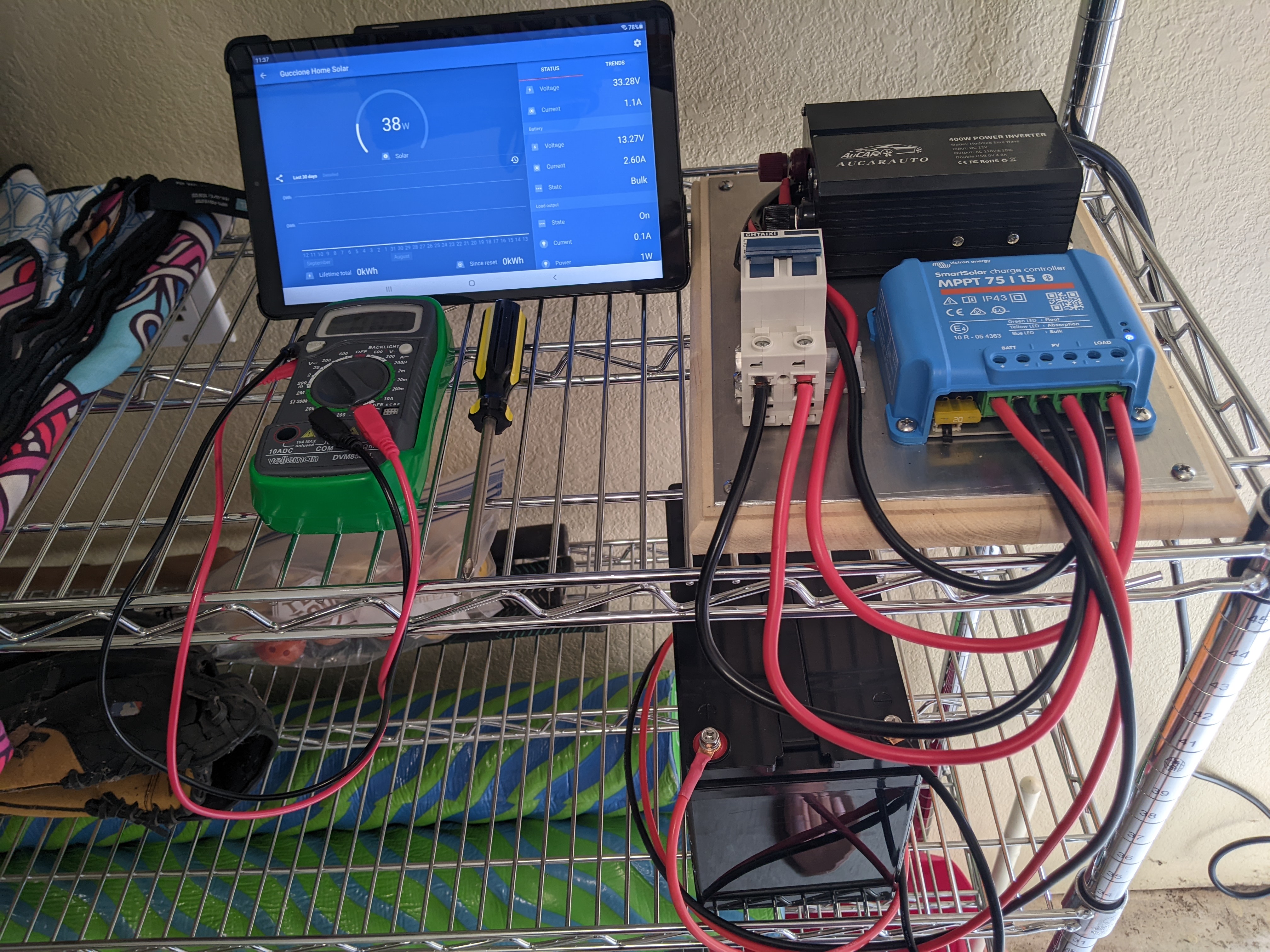
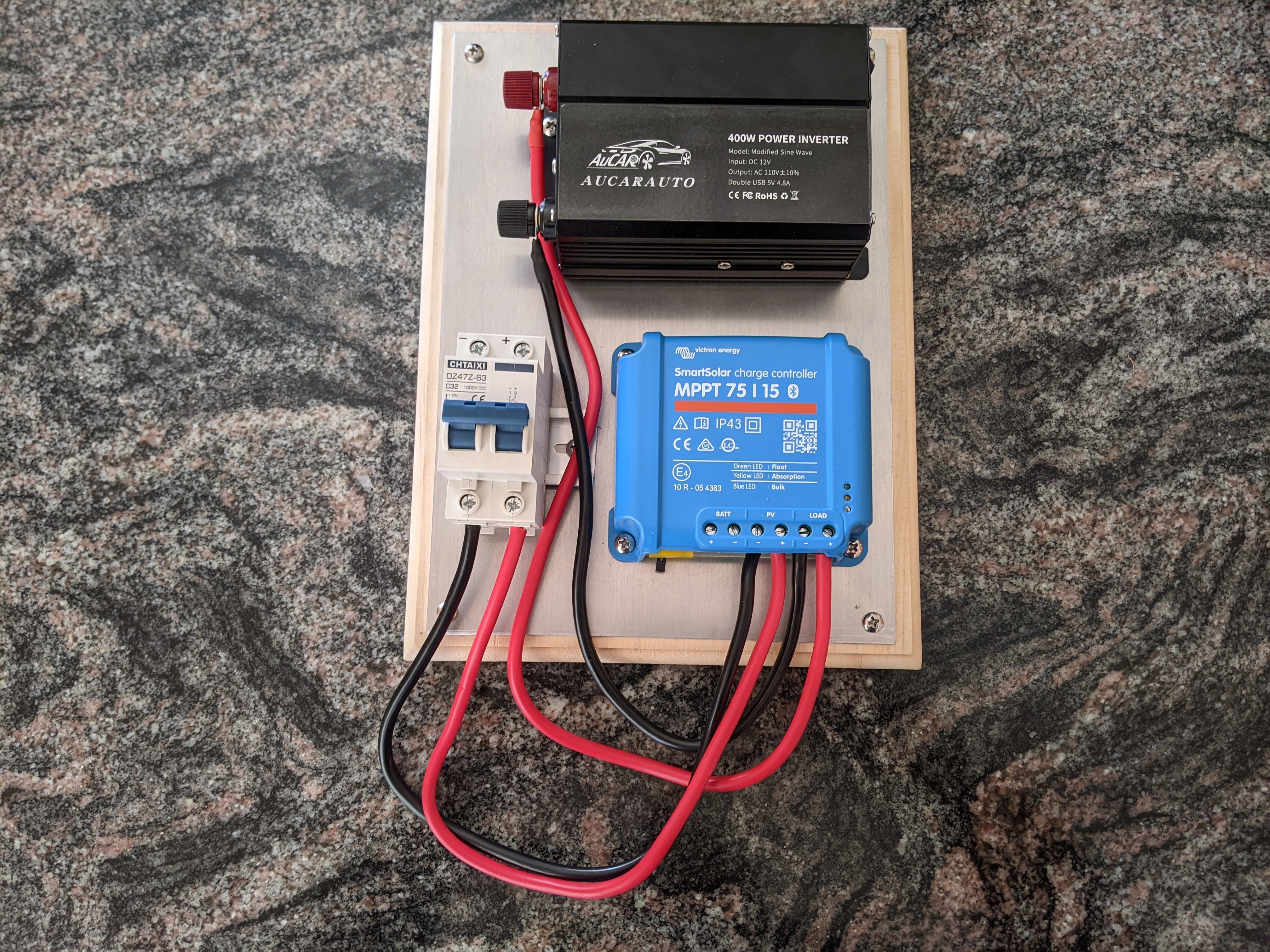
Bought a board to mount my solar panel controller. Read that the hardware should be mounted on a fireproof substrate. Wood isn’t fireproof so I bought a 1/16″ aluminum plate to put over the wood. Realized my new inverter isn’t pure sine wave, but I suppose that is ok for my little set up. I also bought the recommended switch which is beefer than I expected. I suppose switching high current solar panels requires such a switch.

Used the wire that came with the inverter to make some connections. Ordered a battery but it’s going to take a week to get here. Will probably use some old incandescent lights for a test load. Still figuring out how and where I’m going to mount the panels. Here’s the hardware:

Solar and Battery Project

I’ve been wanting to play around with some solar panels and batteries for a while. I want to go small but not too small. I would like something I could possibly use in a short power outage. Maybe a few hundred watt hours. I also wanted something I could interface a Raspberry Pi to (for instance) to collect data. Mostly I just want to get a feel for how all this works, with the intention of building a complete house-wide solar and battery system.

I have decided on a Vectron controller. This seems to be a high quality product and has extensive open source support. As far as a load, I will probably buy a small refrigerator. This is about 80W but will only run intermittently. I’ll have to do a bit more shopping to figure out the panel(s) and battery(s).