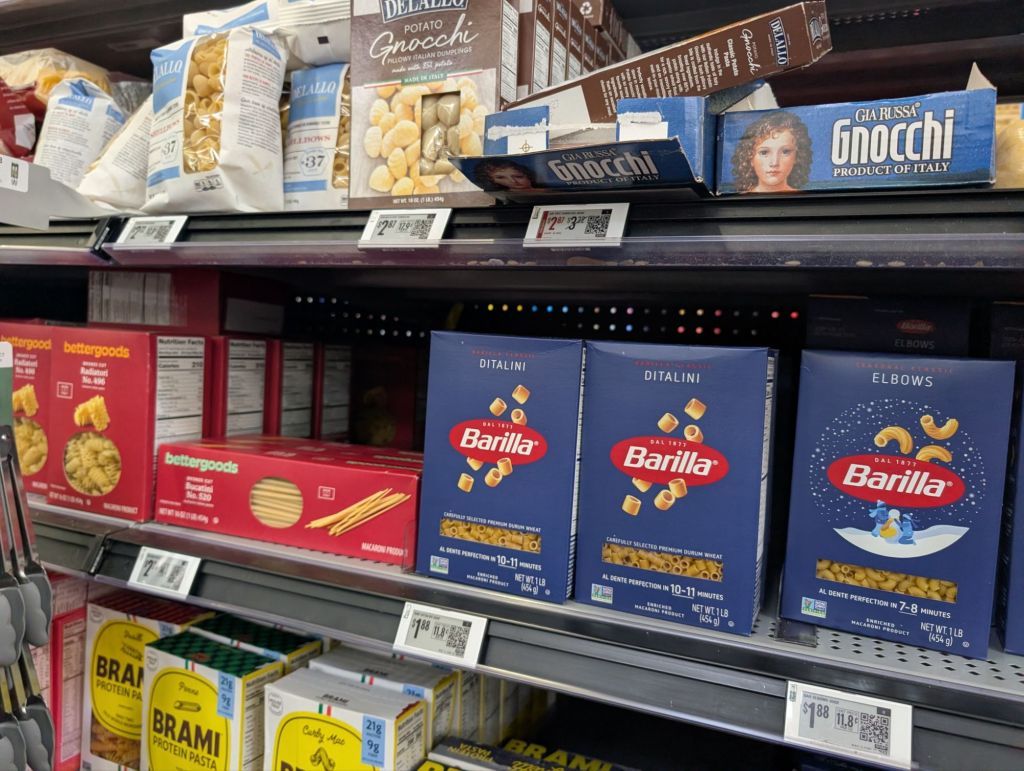
I was shopping at Walmart in Bernalillo today and noticed all the fancy pricing tags on the shelves. I was wondering if this was to rapidly change prices, but the price was printed in ink, next to a QR code.
I decided to try a QR code and it brought up the Walmart app and the exact product I had scanned. Ok. Kinda cool. But then I saw you could also search for items and find out what aisle they were on. And if that wasn’t enough you could bring up a map of the store that would show exactly where on the aisle the item was.
Even so, with 200,000 items on shelves at my local Walmart Superstore I still sometimes couldn’t find what I was looking for. When we couldn’t find gluten free baking flour, I went to the app and to the map. I found myself gazing at all sorts of baking flour. I was definitely in the right place, but still didn’t see what I was looking for.
Then I noticed a button in the app to blink a light on this product. I pressed it and a little blue LED in the price tag on the shelf started blinking! There was my gluten free baking powder (right in front of my face).
There also seems to be some sort of AI helper called Sparkey that I haven’t tried yet. I imagine I should be able to make a shopping list, have it sorted by aisle and lead me right to each item by blinking its light.